

Best Home Entertainment Gadgets for Gifts in 2026
Table of Contents
- Best Home Entertainment Gadgets for Gifts: What to Know Before You Buy
- Home Theater Gifts: Soundbars and Projectors That Deliver
- Tech Gifts for Movie Lovers: Streaming Devices and 4K Screens
- Gaming Gadgets for Gifts: Headsets, Controllers, and More
- Smart Home Gadgets for Gifts: Lighting, Plugs, and Voice Control
- Personal Audio Gifts: Headphones and Bluetooth Speakers
- How to Choose the Right Home Entertainment Gadget by Budget and Room Size
- Conclusion: Matching the Gadget to the Gift Recipient
- Frequently Asked Questions
Last Updated: October 4, 2026
Best Home Entertainment Gadgets for Gifts: What to Know Before You Buy
The best home entertainment gadgets for gifts are the ones that fit the recipient's existing setup, not the flashiest box on the shelf.
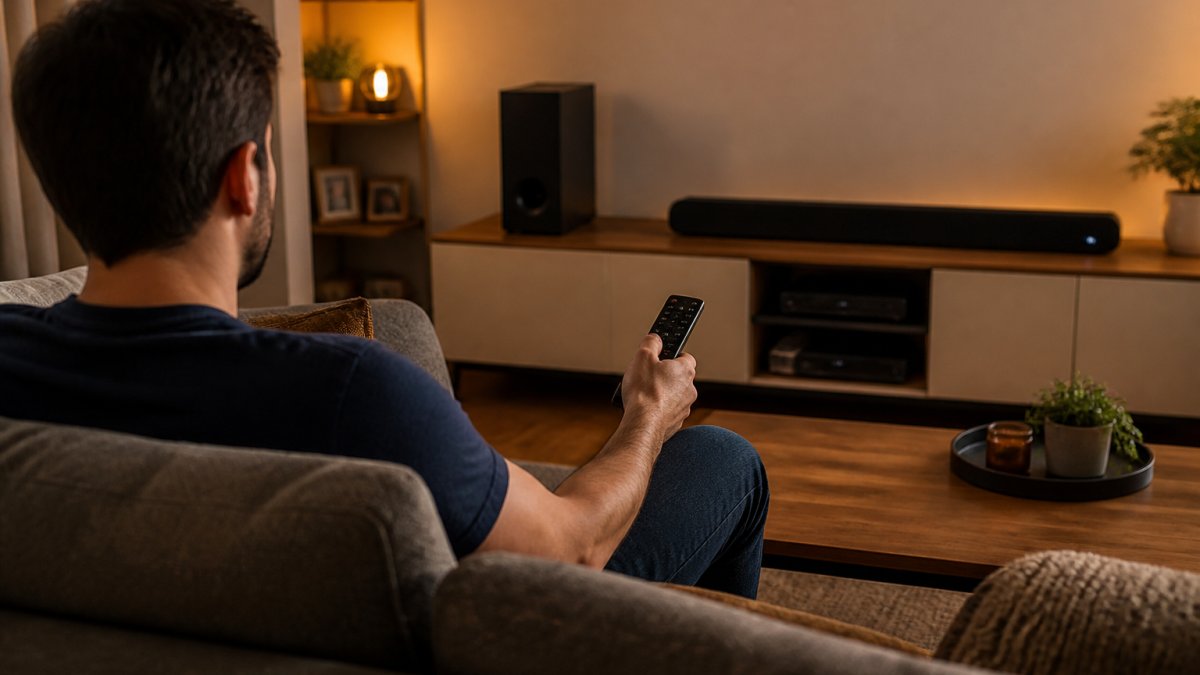
This guide breaks down the home entertainment gadgets worth buying in 2026, organized by recipient, room, and budget. Below, we'll show you exactly how to match a gadget to the person receiving it, so your gift actually gets used.
Compatibility Questions to Ask First
Compatibility is the single biggest reason gifted electronics get returned. Before you buy anything, answer three questions about the recipient's setup.
- Does their TV have an available HDMI port, and is it ARC or eARC capable?
- Which phone do they carry, and does the gadget's app support it?
- Do they already run a smart-home system, and which voice assistant do they use?
If you don't know the answers, buy a gift that works with almost anything. A Bluetooth speaker or a plug-in streaming stick rarely requires a follow-up visit to fix.
Home Theater Gifts: Soundbars and Projectors That Deliver
A soundbar is the safest home theater gift you can give. It upgrades any TV's audio in one step, connects over a single cable, and takes minutes to set up.
Projectors suit a different recipient: someone with a blank wall, control over room lighting, and patience for alignment. For a first apartment, a soundbar wins almost every time.
Two specs matter most when comparing soundbars: channel count and whether it includes a separate subwoofer.
Tech Gifts for Movie Lovers: Streaming Devices and 4K Screens
Streaming devices are the highest-value tech gifts for movie lovers because they modernize an old TV for very little money.
The trade-off is speed. Sticks are compact and cheap, but set-top boxes run faster, offer more storage, and usually include an Ethernet port for a stable wired connection.
If the recipient has a 4K television, buy a 4K-capable device. Pairing a 4K screen with a 1080p streamer wastes the panel they already paid for.
Streaming Sticks vs. Set-Top Boxes
Feature |
Streaming Stick |
Set-Top Box |
|---|---|---|
Best for |
Secondary TVs, travel, tight budgets |
Main living-room TV |
Setup |
Plugs into HDMI, hides behind TV |
Needs shelf space and a power outlet |
Connectivity |
Wi-Fi only |
Wi-Fi and often Ethernet |
Speed |
Adequate for most apps |
Faster navigation and loading |
Remote |
Basic voice remote |
Advanced remote with TV controls |
Gaming Gadgets for Gifts: Headsets, Controllers, and More
Gaming accessories are the most-returned gift category in home entertainment, and the reason is almost always platform mismatch. A headset built for one console may not pair with another, and a controller designed for a phone won't work on a console. Confirm the platform before anything else.
Start With the Platform
Ask which of these the recipient plays on, then buy only accessories labeled for that platform:
- PlayStation 5: supports USB and Bluetooth audio, but Bluetooth is limited to specific dongles. Most wireless headsets use a USB dongle or a 2.4GHz receiver.
- Xbox Series X|S: uses a proprietary wireless protocol for controllers and most first-party headsets. Third-party wireless headsets need an Xbox-licensed dongle.
- Nintendo Switch: Bluetooth audio is supported on the console itself, but the Switch Lite and handheld mode have different constraints. Controllers vary by model.
- PC: the most flexible platform, USB, 3.5mm, and Bluetooth all generally work. This is where a wired headset still makes sense.
Headsets: Wired vs. Wireless
Feature |
Wired |
Wireless |
|---|---|---|
Latency |
None |
Low with 2.4GHz, higher with Bluetooth |
Battery |
Not applicable |
15-30 hours typical |
Price |
Lower for same audio quality |
Higher |
Best for |
Competitive play, PC |
Console couch play, voice chat |
For voice chat, check whether the mic is detachable or flip-to-mute. A boom mic that can't be muted quickly is a common complaint.
Controllers and Accessories
- Extra controller: the single most-used gift in any household with siblings or roommates. Match the exact model, a PS5 DualSense is not interchangeable with a PS4 DualShock.
- Charging dock: keeps controllers off the floor and always charged. Look for one that matches the controller model, since third-party docks sometimes fit loosely.
- Capture card: for the friend who streams or posts clips. A USB capture card is the simplest option; internal cards require a desktop PC with an open slot.
- Rechargeable battery packs: useful for Xbox controllers, which use AA batteries by default. A play-and-charge kit is a small, practical upgrade.
Accessibility and Ease of Use
Gaming gifts can also serve recipients who need simpler controls. Adaptive controllers, remappable buttons, and one-handed controller layouts exist for most major platforms, and many current consoles include system-level remapping. If the recipient has limited hand mobility or prefers a lighter controller, these options are worth checking before defaulting to a standard gamepad.
Accessories beat games as gifts. Games get finished; a good headset, controller, or charging dock lasts for years and gets used every session.
Smart Home Gadgets for Gifts: Lighting, Plugs, and Voice Control
Smart plugs and smart bulbs are the easiest smart home gifts to give because they work in any home, including small apartments. No wiring, no hub required in most cases, and setup takes minutes.
The best first smart gift is a smart plug. It turns any lamp into a voice-controlled light and asks nothing of the recipient's existing setup.
One caution: mixing brands often means juggling multiple apps. If the recipient already uses a voice assistant, buy accessories that support it so everything runs through one system.
Personal Audio Gifts: Headphones and Bluetooth Speakers
Personal audio is the most giftable category in home entertainment because it works in any room, needs no installation, and suits almost any recipient. The trick is matching the form factor to how the person actually listens.
Headphones: Match the Form Factor to the Use Case
- Over-ear, noise-canceling: the default gift for travelers, open-office workers, and anyone in a loud household. Look for active noise cancellation (ANC), a transparency mode for hearing announcements, and at least 20 hours of battery with ANC on. Most current models charge over USB-C and pair with two devices at once, which matters if the recipient switches between a phone and a laptop.
- On-ear: lighter and more portable than over-ear, but they leak sound and clamp harder over long sessions. Good for short commutes, not for all-day wear.
- True wireless earbuds: the right pick for runners, gym-goers, and anyone who dislikes a headband. Check the IP rating, IPX4 handles sweat and light rain, IPX7 survives a dropped-in-the-sink moment. Battery is usually 5-8 hours per charge plus 20-30 hours from the case.
- Wired: still the best value for a recipient who mostly listens at a desk. No charging, no pairing, no latency.
Two specs worth checking before you buy: codec support (AAC and SBC work with everything; LDAC and aptX require a compatible source device) and multipoint pairing, which lets one headset stay connected to a phone and a laptop at the same time.
Bluetooth Speakers: Size, Battery, and Water Resistance
Bluetooth speakers split into three rough tiers, and the tier matters more than the brand:
Tier |
Typical Size |
Battery |
Best For |
|---|---|---|---|
Portable mini |
Palm-sized |
8-12 hours |
Kitchen counters, desks, travel |
Mid-size portable |
Book-sized |
12-24 hours |
Backyards, patios, picnics |
Home/party |
Shelf or floor |
Plug-in or 20+ hours |
Living rooms, gatherings |
For outdoor use, look for an IP67 rating, dust-tight and submersible, rather than the vaguer "water-resistant" label. For indoor use, a plug-in speaker usually sounds fuller at the same price because it doesn't sacrifice bass for battery space.
Stereo pairing is the feature most gift buyers overlook. Many current speakers let you link two identical units for true left/right separation, which is a meaningful upgrade for a recipient who already owns one.
A Quick Compatibility Check
Before buying headphones or a speaker as a gift, confirm three things: the recipient's phone platform (for codec and app support), whether they already own a charging case or stand that fits the new device, and whether they prefer an on-device app for EQ adjustments or want something that just works out of the box. A gift that needs a companion app to sound good is a gift that may sit in a drawer.
How to Choose the Right Home Entertainment Gadget by Budget and Room Size
Room size changes what counts as a good gift. A soundbar that fills a large living room can overwhelm a small bedroom, and a projector needs more throw distance than a studio apartment allows.
Match the gadget to the space before the price tag:
Room |
Best Gadget |
Why It Fits |
|---|---|---|
Small apartment |
Bluetooth speaker, smart plug |
Compact, no installation, portable |
Bedroom |
Noise-canceling headphones |
Personal audio without disturbing others |
Living room |
Soundbar, streaming device |
Upgrades the shared TV setup |
Dedicated media room |
Projector, set-top box |
Uses the space and lighting properly |
On budget, decide whether you're buying the centerpiece or the accessory. Accessories stretch further: a smart plug or a charging dock feels thoughtful without straining your wallet.
Conclusion: Matching the Gadget to the Gift Recipient
The hard part isn't finding gadgets. It's matching one to a person whose setup you only half understand.
Brilliant In Everyway carries electronics for households, health, and personal entertainment, so you can shop for gadgets and accessories. If you're unsure what fits, our team can help you figure out what connects to what before you buy, so you're not stuck troubleshooting on your own. Get started with Brilliant In Everyway and give a gift that works the first time it's plugged in.
Frequently Asked Questions
What should I consider when buying home entertainment gadgets as gifts?
Check three things: compatibility with the recipient's existing devices (HDMI ports, WiFi band, voice assistant), room size for speakers or projectors, and ease of setup. A streaming stick that needs a free HDMI port won't help someone whose TV is already full. Ask what phone or smart speaker they use, and pick gadgets that work with those systems. If you're unsure, a gift receipt solves most problems.
What are some good tech gifts for movie lovers?
A 4K streaming device with a voice remote, a compact soundbar, or a Bluetooth speaker with a movie mode all upgrade movie night without replacing the TV. Wireless headphones with noise cancellation also work well for late-night viewing without disturbing others. Look for devices that support the major streaming apps out of the box and connect over HDMI or Bluetooth so setup takes minutes, not hours.
What home entertainment gadgets work well for gamers as gifts?
Gaming headsets with a boom mic, extra wireless controllers, and low-latency Bluetooth speakers are reliable picks. Check the console or PC platform first, since controllers and headsets are often platform-specific. A gaming headset that works on both PlayStation and PC gives more value than one locked to a single system. For a safer gift, a universal controller or a portable speaker works across setups.
How do I pick a smart home gadget that works with devices from different brands?
Stick to gadgets that support Matter or work with the major voice assistants (Alexa, Google Assistant, Apple Home). Smart plugs, bulbs, and switches that use these standards connect across brands without a separate app for each one. Before buying, confirm the recipient's WiFi network runs on 2.4 GHz, since many smart devices won't connect to 5 GHz-only networks.
This guide was compiled by the Brilliant In Everyway team. Product categories and setup guidance reflect general compatibility considerations; check your recipient's devices before purchase.