

Best Smart Home Gadgets for Small Apartments in 2026
Table of Contents
- Why Small Apartments Need Smart Home Gadgets Built for Tight Spaces
- Quick Comparison: Best Smart Home Gadgets for Small Apartments
- Best Smart Home Devices for Renters Who Can't Drill or Rewire
- Smart Home Gadgets for Studio Apartments: One-Room Living Done Right
- Smart Plugs for Apartments: The Cheapest Way to Automate Anything
- Smart Home Starter Kit for Beginners: What to Buy First
- Noise, Neighbors, and Shared Walls: What to Check Before You Buy
- Conclusion: Build Your Small Apartment Smart Home in Stages
- Frequently Asked Questions
Last Updated: October 16, 2026
Why Small Apartments Need Smart Home Gadgets Built for Tight Spaces
The best smart home gadgets for small apartments solve problems that full-size houses never have to think about. According to U.S. Census Bureau data on renter households, renters make up a large and growing share of American households, and most rental leases prohibit permanent modifications.
That single constraint reshapes every buying decision. You are not shopping for the biggest or the most powerful device. You are shopping for the one that fits, leaves no damage, and still works when you move.
This guide from Brilliant In Everyway covers the categories that matter most in a compact space, plus what to buy first.
Quick Comparison: Best Smart Home Gadgets for Small Apartments
Here is how the main categories stack up on price, space use, and renter safety.
| Category | Typical Price | Space Needed | Renter-Friendly | Best First Buy |
|---|---|---|---|---|
| Peel-and-stick lighting | $28.99 | Wall or shelf | Yes, no tools | Yes |
| Charging station | $40.99 | Nightstand top | Yes | Yes |
| Smart plug | Varies | Outlet only | Yes | Yes |
| Compact vacuum | $29.99 | Closet shelf | Yes | No |
| Mini humidifier | $12.99 | Nightstand top | Yes | No |
| Portable heater | $54.70 | Floor corner | Yes | No |
The pattern is clear: the cheapest devices usually take up the least room. Start there.

Best Smart Home Devices for Renters Who Can't Drill or Rewire
Renter-friendly smart home devices share three traits: no drilling, no wiring changes, and easy removal on move-out day. That rules out most in-wall switches and hardwired fixtures.
Peel-and-Stick Lighting That Leaves No Trace
Our Hexagon LED Wall Light Set is the clearest example of this approach. It uses peel-and-stick installation, so you get a custom light display without tools or wall damage. The panels are modular, so you can connect them in whatever shape your wall allows.

Control runs through an app or the included remote, with 16 million RGB colors and a music sync mode that reacts to sound in real time.
Smart Home Gadgets for Studio Apartments: One-Room Living Done Right
Studio living forces every device to earn its counter space. The best smart home gadgets for studio apartments double up on function or disappear into furniture. Before you buy anything, run each candidate through five small-apartment-specific filters that full-size-home roundups skip.
- Footprint. Measure the actual surface you are giving up. A device that occupies a 6-by-6-inch square on a nightstand is competing with your phone, your water glass, and your lamp. If it cannot share that square, it does not belong.
- Outlet use. A studio often has two usable wall outlets per room. A device that consumes a whole outlet without passing power through is expensive real estate. Look for pass-through plugs or devices that charge multiple things from one brick.
- Noise. In a one-room layout, every sound is a bedroom sound. A humidifier's gurgle, a charger's coil whine, or a speaker's idle hum all land on the same pillow you sleep on. Listen before you commit.
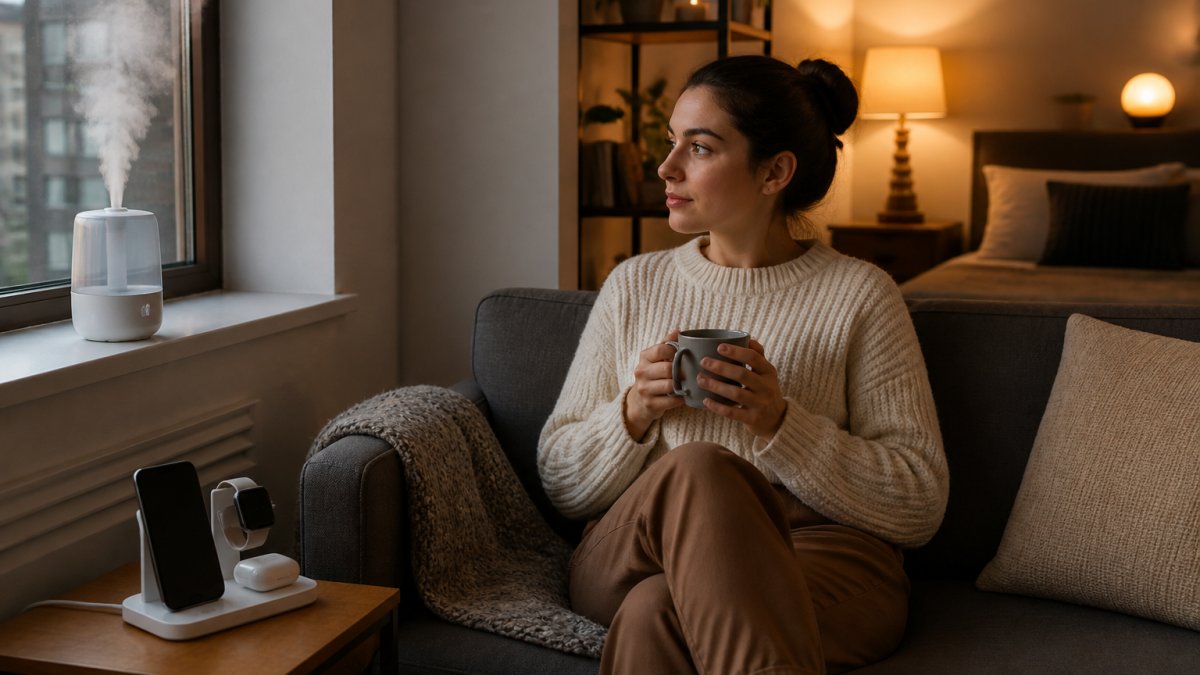
Charging Stations and Humidifiers That Fit a Nightstand
Our 3 in 1 Wireless Charging Station is built for exactly this. It charges a phone, smartwatch, and earbuds at once on dedicated pads, which replaces three separate cables with one object.
The Mini Air Humidifier takes the same approach. It is a compact single-piece unit that fits a desk or nightstand without clutter, runs quietly, and works with aroma oils.

How to Check Compatibility Before You Buy
A studio setup fails most often at the app layer, not the hardware layer. Two devices that both claim to be "smart" may not talk to each other, and in a one-room apartment you feel that failure immediately because everything is within arm's reach of everything else.
Check three things before checkout:
- Which ecosystem the device supports. The major voice platforms are Amazon Alexa, Google Assistant, and Apple Home. A device that supports none of them is app-only, which means you control it from your phone and nowhere else.
- Whether it needs a hub. Some devices connect directly to your Wi-Fi router. Others require a separate bridge or hub that occupies an outlet and a shelf. In a studio, a required hub is a real cost, not a footnote.
- Which wireless standard it uses. Wi-Fi devices join your router directly but can crowd a small network. Bluetooth devices work only within range of your phone. Matter is a cross-company standard designed so devices from different brands work together, and Thread is a low-power networking standard often paired with it. If a product lists Matter or Thread support, that is a signal it will keep working as you add devices.
Where the Outlets Actually Go
In a one-room layout, plan outlet use like floor plan. Reserve one outlet for charging, one for lighting, and one for a device that runs continuously, such as a humidifier or a speaker. Anything that needs a fourth outlet should either pass power through or be replaced by something that does. This is the single most common mistake in studio setups: buying five good devices and discovering you have three usable outlets.
Smart Plugs for Apartments: The Cheapest Way to Automate Anything
Smart plugs for apartments are the highest-value first purchase because they make existing devices smart. A lamp, a fan, a coffee maker: plug it into a smart outlet and it becomes schedulable and voice-controllable.
The appeal is cost and reversibility. There is nothing to install and nothing to remove. You unplug it when you leave.
- Works with lamps, fans, and small appliances you already own
- Adds scheduling and remote access without new hardware
- Takes up zero floor or counter space
Pair a plug with the Flame Bluetooth Speaker and you have music and lighting control from one corner of the room.
3 in 1 Wireless Charging Station →
Smart Home Starter Kit for Beginners: What to Buy First
A smart home starter kit for beginners should cost under $150 and cover light, sound, and power. That is the minimum for a setup that feels useful rather than gimmicky. But the order you buy in matters as much as the total, because each purchase should tell you something about how you actually live in the space before you spend on the next one.
A Complete Setup for Under $150
Here is the build we would recommend, in order:
- Smart plug for an existing lamp, so you get scheduling immediately. This is the cheapest test of whether automation fits your routine at all.
- Hexagon LED Wall Light Set ($28.99) for adjustable lighting without drilling. Add this once you know you want light control, not just on/off.
- Flame Bluetooth Speaker ($45.99) for audio and ambient glow. Buy this when you have decided where sound should live in the room.
- 3 in 1 Wireless Charging Station ($40.99) to clear cable clutter. This is the last purchase because it depends on where your nightstand or desk ends up.
That lands at roughly $116 before the plug, leaving room in the budget. Add the Mini Air Humidifier ($12.99) if dry air bothers you, or the Portable Heater ($54.70) for a cold corner.
What the Total Actually Buys You
It is worth being honest about what a starter kit does and does not save. Smart plugs and scheduled lighting can trim standby power from devices you leave on out of habit, and scheduling a heater or a fan to run only when you are home avoids paying to condition an empty room.
What a starter kit reliably buys is convenience and control, not a dramatic drop in your bill. Treat any claim of large percentage savings with suspicion unless it is tied to your specific rate and usage.
Sequence by Question, Not by Category
Most beginner guides tell you to buy one device from each category. In a small apartment, a better rule is to buy one device per unanswered question:
- Do I actually use scheduling? Answer with a smart plug before anything else.
- Do I want adjustable light, or just remote on/off? Answer with the LED panel set only if the first answer was yes.
- Where does sound belong in this room? Answer before buying a speaker, because placement in a studio is permanent in practice.
This sequence keeps you from buying four devices that all solve problems you have not confirmed you have. It also keeps your total spend honest: you can stop after step one and still have a working smart home.
Noise, Neighbors, and Shared Walls: What to Check Before You Buy
Shared walls change what "good" means. A device that is quiet in a house can be a problem in an apartment building.
Check three things before you buy:
- Noise level. Humidifiers and heaters should run quietly. Our Portable Heater uses fan-forced air and is designed for quiet operation, which matters when your bedroom shares a wall.
- Vibration. Anything that sits on a shared floor can transmit sound. A compact handheld vacuum is easier to control than a full-size unit.
- Peak hours. Schedule loud routines for daytime. Most automation apps let you set start and stop times.
On privacy, treat any device with a microphone or camera as a trade-off. Check what data the app collects and whether you can disable the mic when it is not in use.
Conclusion: Build Your Small Apartment Smart Home in Stages
The hard part is not picking devices. It is resisting the urge to buy everything at once and ending up with gear that does not fit your space or your lease.
Start with a smart plug and one light. Add audio and charging once you know where things live.
Get started with Brilliant In Everyway and build a setup that moves with you.
Frequently Asked Questions
What are the best smart home gadgets for a small apartment?
Start with devices that save space and need no permanent installation. A 3-in-1 wireless charging station ($40.99) replaces three separate chargers on a nightstand. A mini air humidifier ($12.99) fits on a desk without clutter. A handheld vacuum ($29.99) handles crumbs and pet hair in tight corners. Add a flame Bluetooth speaker ($45.99) for audio and ambient light in one piece. These smart home gadgets cover charging, comfort, cleaning, and atmosphere without eating up floor space.
How can I make my apartment smart without rewiring it?
Choose battery-free, plug-in, or peel-and-stick devices. The hexagon LED wall light set ($28.99) uses peel-and-stick installation with no tools and no wall damage, so it works for renters. The 3-in-1 wireless charging station plugs into a standard outlet and sits on a desk. The flame Bluetooth speaker pairs by Bluetooth with no wiring. None of these require an electrician or landlord approval, and all can move with you when your lease ends.
Are smart plugs useful in a small apartment?
Smart plugs let you control lamps, fans, and small appliances from your phone or by voice, which matters more in a small apartment where outlets are limited and furniture blocks them. You can schedule a lamp to turn on before you get home or shut off a heater you forgot about. Pair them with compact devices like the portable heater ($54.70) to automate warmth without leaving it running all day, cutting wasted energy in a space you can't easily ventilate.
What smart home starter kit should a beginner buy first?
Begin with three items that solve daily problems: a 3-in-1 wireless charging station ($40.99) to clear cable clutter, a mini air humidifier ($12.99) for dry air, and a flame Bluetooth speaker ($45.99) for music and mood lighting. That's about $100 and covers charging, comfort, and entertainment. Add a handheld vacuum ($29.99) next for quick cleanup. Buy in stages so you learn what you actually use before spending more on a full smart home ecosystem.