

Best Smart Home Starter Kits for Beginners in 2026
Table of Contents
- What to Look for in Smart Home Starter Kits for Beginners
- Best Smart Home Ecosystem for Beginners: Which Platform Fits Your Life?
- Smart Home Devices for Beginners: The Four Essentials That Actually Matter
- Smart Home Hub for Beginners: Do You Really Need One?
- Smart Home Starter Kit for Apartment Living: Small Space, Smart Choices
- Total Cost of Ownership and Expansion: What Beginners Overlook
- Your First Week Setup Plan and Common Mistakes to Avoid
- Frequently Asked Questions
Last Updated: October 5, 2026
What to Look for in Smart Home Starter Kits for Beginners
The best smart home starter kits for beginners share four traits: one app, the Wi-Fi you already own, lights plus security plus voice control in one box, and a price below buying each piece alone. At Brilliant In Everyway, we sell household electronics, and we understand the common concern: "Will this actually work together, or am I buying four gadgets and four headaches?"
The hard truth most roundups skip: a starter kit is not a pile of gadgets but a bundle sharing one app, one network, and one set of rules. Get that wrong and you will spend your first weekend troubleshooting.
A few numbers worth holding onto. The Connectivity Standards Alliance, which develops and maintains the Matter specification built Matter so devices from different brands can talk to each other over your local network. Meanwhile, the Federal Trade Commission's guidance on smart device security and privacy reminds buyers that every connected device collects data, which makes account setup part of your buying decision, not an afterthought.
Four checks separate a kit that works from one that frustrates:
- One app, not four. Count how many apps the kit needs before it feels complete.
- Wi-Fi or a hub. Wi-Fi-only kits are simpler; hub-based kits are more reliable at scale.
- A real mix. Lights, a camera or sensor, and a speaker cover the three jobs beginners actually use daily.
- Room to grow. A kit you outgrow in six months is a kit you re-buy.
Keep reading for ecosystems, the four devices that matter, hubs, apartment picks, and the expansion costs nobody mentions.
Best Smart Home Ecosystem for Beginners: Which Platform Fits Your Life?
"Ecosystem" is three questions stacked together: which voice assistant you talk to, which app you open, and which wireless standard your devices speak. Most beginner guides answer only the first.
Layer 1: The assistant and app. Apple Home, Google Home, and Alexa each have their own app and voice trigger. Your phone decides which is frictionless.
Layer 2: The wireless standard. This is where beginners get burned. Devices talk over one of four radios:
- Wi-Fi, connects straight to your router. No hub. Simple, but each device eats router capacity, and cheap routers choke past roughly a dozen connections.
- Bluetooth, short range, usually for setup or a single nearby device. Not a whole-home standard.
- Zigbee and Z-Wave, low-power mesh radios that need a hub or speaker/hub combo to translate to your network. Reliable and battery-friendly, but you must own the right bridge.
- Thread, a newer low-power mesh standard that also needs a border router (often built into a smart speaker or hub). It is the transport Matter runs on for many devices.
How to check compatibility before you buy. Five minutes:
- Open the product listing and look for the certification badges: "Works with Apple Home," "Works with Google Home," "Works with Alexa," and the Matter logo. A device can carry some, all, or none.
- Check the radio. If it says Thread or Zigbee, confirm you own a hub or border router that supports that radio. A Wi-Fi-only home cannot adopt a Thread sensor without one.
- Cross-check the ecosystem's own compatibility list. Apple's Home app documentation and Google's Home developer documentation both publish current device lists. Amazon maintains a similar Works with Alexa directory.
- Read the setup requirements line, not the marketing headline. "Requires a compatible hub" is usually buried there.
What happens when standards don't match. A Zigbee sensor with a Thread-only hub will not appear in any app, not Apple, not Google, not Alexa.
Three rules to consider:
- Match your phone first. Ecosystem friction is the top reason beginners abandon a setup.
- Buy Matter-certified when you can, and confirm the radio. Matter future-proofs the purchase; the radio decides whether it works today.
- Do not mix three assistants in one home. Pick one, name devices clearly, stay consistent.
A five-minute compatibility check beats a return label. Do it before checkout.
Smart Home Devices for Beginners: The Four Essentials That Actually Matter
Most beginners need four device types, not forty: smart lighting, a security camera or sensor, a smart speaker, and a smart plug.
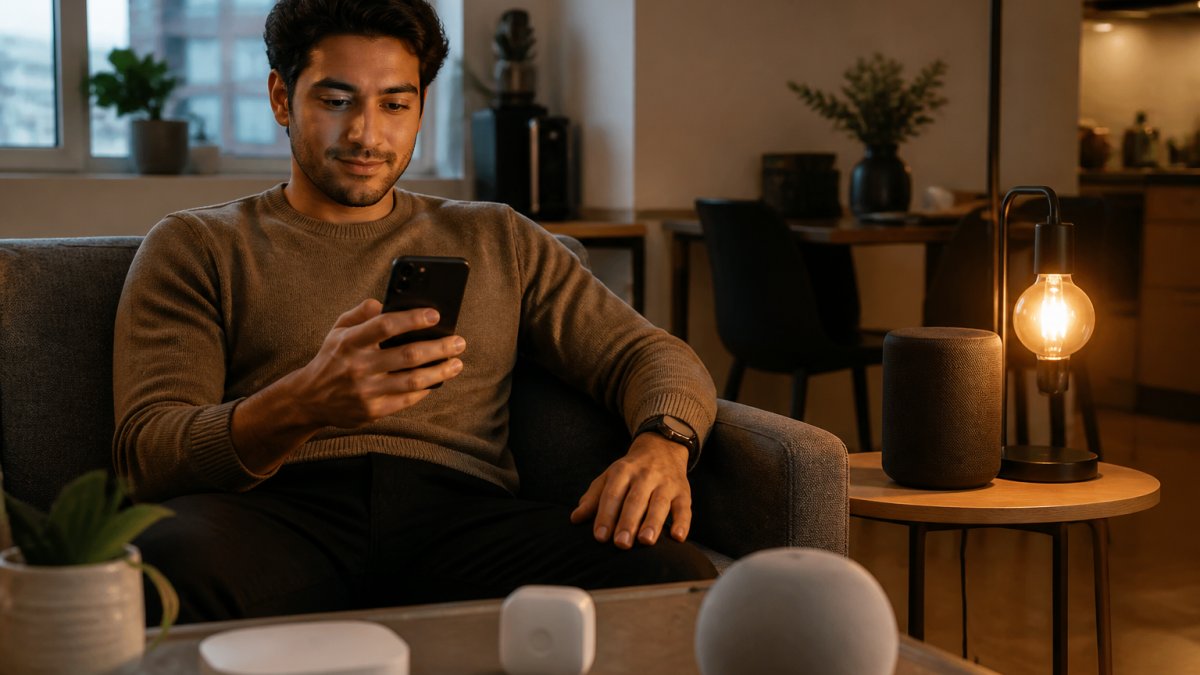
Smart lighting is the gateway device. Bulbs and switches control brightness, color, and schedules from your phone or by voice.
Home security comes next. A camera covers one room or your front door; a motion or door and window sensor covers the perimeter for far less per unit.
Smart speakers run your voice assistant and act as a control point for lights and plugs.
Smart plugs are the unsung hero, turning a lamp, fan, or coffee maker into a connected device for a fraction of a smart appliance's price.
| Device Type | Job It Does | Beginner Priority |
|---|---|---|
| Smart bulbs or switches | Lighting control, schedules | Start here |
| Camera or sensors | Home security, alerts | Second |
| Smart speaker | Voice control, routines | Third |
| Smart plug | Automates dumb appliances | Anytime |
Smart Home Hub for Beginners: Do You Really Need One?
A smart home hub connects your smart products to each other and the internet using low-power protocols like Zigbee, Thread, or Z-Wave. You do not always need one, and that is the part most guides get wrong.
Hubs earn their place when you add Zigbee or Thread devices, want automations to run during an internet outage, or have enough devices that your router strains.
A good rule of thumb is to skip the hub until you have a reason. Then, consider buying one supporting Matter and Thread, which covers a wide range of current and future devices.
Signs you are ready for a hub:
- You own devices that will not connect over Wi-Fi
- You want routines to keep working during an internet outage
- You have more than roughly a dozen connected devices
- You want one app to control gear from several brands
Smart Home Starter Kit for Apartment Living: Small Space, Smart Choices
A smart home starter kit for apartment living should prioritize renters' constraints: no rewiring, no drilling, no permanent changes. Door and window sensors, a plug-in camera, smart bulbs, and a smart plug install in minutes and move with you when the lease ends.
Small spaces have one hidden advantage: a single smart speaker can cover a studio, and one camera can watch the main entry. You need fewer devices, not more.
For apartment security, sensors beat cameras twice over: cheaper per unit, and no video of your neighbors' comings and goings.
Stick with these rules:
- Renter-safe only. Nothing that requires opening a wall.
- Adhesive and plug-in mounting. Command strips and plug-in mounts leave no trace.
- Wi-Fi first. Your apartment router is enough for a small setup.
- Check your lease and building rules. Some buildings restrict cameras in shared hallways.
Total Cost of Ownership and Expansion: What Beginners Overlook
The sticker price is the smallest number in the equation. Total cost of ownership includes the kit, the hub if needed, replacement batteries, any camera storage subscription, and every device you add later.
Where the money actually goes. Five line items, ordered by how often they surprise people:
- Camera storage subscriptions. Many cameras include a short free clip window (hours to days) and charge monthly or annually for longer history, person detection, or cloud backup. Many models still record locally to a microSD card without a subscription, check before assuming you must pay.
- Batteries. Sensors and battery cameras run on coin cells or AA/AAA. A sensor reporting every motion event drains faster than one reporting state changes. Budget a pack of spares per sensor per year.
- The hub or bridge. Zigbee, Z-Wave, or Thread devices need a hub or a speaker with a built-in border router, a separate purchase frequently left out of "starter kit" pricing.
- Expansion devices. The add-on sensor, second bulb, or extra plug cost more per unit bought individually than in the bundle. Plan the second room as a deliberate purchase.
- Replacement and upgrade cycle. Firmware support windows vary by brand. A hub or camera that stops receiving updates becomes a paperweight, a real cost even if it never appears on a receipt.
A simple test: list the kit's devices, cross off any you would not buy on their own, and price the remainder individually.
Budgeting the first year. The entry kit often represents a significant portion of first-year spend, with the remainder allocated to a hub (if needed), subscriptions (if chosen), batteries, and expansion purchases.
How to keep expansion cheap.
- Buy devices sharing one radio and one ecosystem so you never need a second hub.
- Prefer sensors over cameras for perimeter coverage, cheaper per unit, no subscription.
- Buy bundles per room when a bundle exists, not single devices.
- Check whether your camera supports local storage before paying for cloud.
Pricing depends on the bundle, device count, and current promotions, so check our website for today's figures.
Your First Week Setup Plan and Common Mistakes to Avoid
Setup is a week, not a weekend, if you want it done right.
Day 2: Add devices one at a time. Add, name, test, then move on.
Day 4: Place your sensors and camera. Test motion detection by walking past, and adjust angles before mounting anything permanently.
Day 5: Test voice control. Run every device by voice and fix any name the assistant mishears.
Day 6: Check for firmware updates. Most connection problems trace back to outdated firmware.
Day 7: Walk away and live with it. Note what annoys you.
Setting up your first smart home should feel exciting, not like a second job.
Frequently Asked Questions
What should a beginner buy first for a smart home?
Start with a smart speaker and two smart bulbs. A speaker gives you voice control and a hub for some devices, while bulbs let you test automation without wiring changes. Together they cost less than a single smart lock and teach you how your chosen ecosystem feels daily. Once you know the app and voice commands work for you, add a smart plug or security sensor. This staged approach keeps your first smart home starter kit simple and avoids buying devices that do not fit your routine.
Do smart home devices from different brands work together?
Often yes, but it depends on the ecosystem and wireless standard. Devices that support Matter or Thread can connect across brands more reliably than older Zigbee or Wi-Fi-only gadgets. Before buying, check whether the product lists compatibility with your preferred voice assistant and hub. If you already own devices from three brands, look for a hub that speaks multiple protocols. A hub acts as a translator, so you are not forced to open a separate app for every brand in your smart home starter kit.
Do I need a hub to start a smart home?
Not always. Many beginner setups run entirely on Wi-Fi and a smartphone app, especially if you only have a few smart bulbs and plugs. A hub becomes useful when you add battery-powered sensors, want local automation that works when the internet is down, or mix Zigbee, Thread, and Wi-Fi devices. If you plan to grow past five or six devices, a hub for beginners is worth the investment because it keeps your smart home starter kit responsive and reduces strain on your Wi-Fi network.
What is the easiest smart home system to set up?
Systems built around a single app and voice assistant are easiest for beginners. Look for starter kits that include a hub or speaker, pre-paired sensors, and clear QR-code setup steps. Avoid kits that require wiring into existing light switches unless you are comfortable with electrical work. A smart home starter kit for an apartment should use adhesive mounts and plug-in devices rather than permanent fixtures. The best system is the one you can install in an afternoon without calling an electrician.