

Buy Reliable Smart Home Security Systems Online
Table of Contents
- How to Buy Reliable Smart Home Security Systems Online
- What to Look for in the Best Smart Home Security Systems
- DIY Home Security Systems: Setup, Cost, and Trade-offs
- Home Security Systems Without a Subscription: What You Give Up
- Home Security System Monitoring Plans Compared
- Total Cost of Ownership: Equipment, Fees, and Contracts Over Time
- Verifying Sellers, Privacy, and Reliability During Outages
- Conclusion: Matching the System to Your Home and Budget
- Frequently Asked Questions
Last Updated: October 7, 2026
How to Buy Reliable Smart Home Security Systems Online
Shopping for smart home security online has never offered more choice, or more ways to waste money.
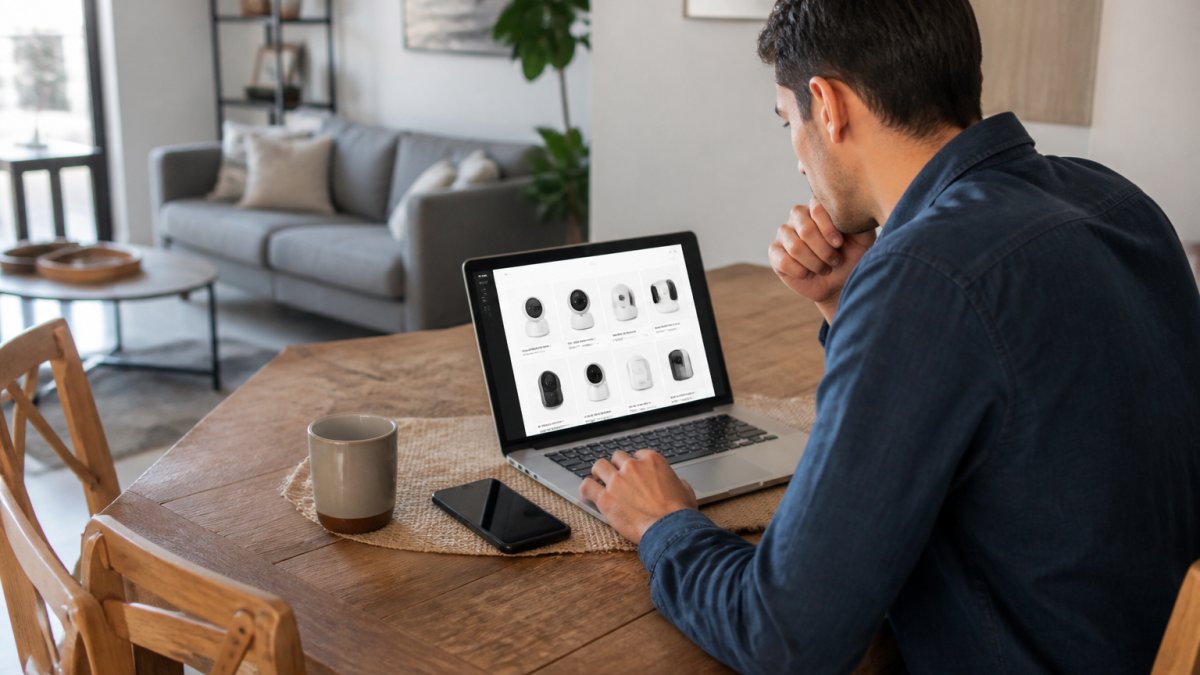
Most buyers fixate on camera resolution and ignore the boring parts: sensor battery life, cellular backup, and what happens to footage when the internet drops.
The FTC's guidance on shopping safely online is a useful starting point for checking sellers before you enter payment details.
What Separates a Reliable System From a Cheap One
Reliability comes down to redundancy, not features. A dependable system keeps working when the power fails, the Wi-Fi drops, or your phone is off, the exact moments cheap systems fail.
Key differences to check:
- Cellular backup keeps the alarm connected when broadband goes down
- Battery backup covers short power cuts
- Local storage options reduce dependence on cloud video storage
A common mistake is buying on camera specs alone. The sensors that detect an intruder matter more than the lens that films one.
What to Look for in the Best Smart Home Security Systems
The best smart home security systems share four traits: broad device compatibility, reliable connectivity, honest monitoring terms, and clear data policies. Everything else is preference.
Check these before buying:
- Works with the voice assistant and hub you already own
- Supports Wi-Fi connectivity plus cellular or battery backup
- Offers both professional monitoring and self-monitoring
Sensors, Cameras, and the Equipment Package That Fits Your Home
An equipment package should match your floor plan, not a sales page. A studio apartment needs far less hardware than a two-story house.
| Home Type | Priority Devices | Skip For Now |
|---|---|---|
| Apartment or rental | Video doorbell, entry sensors, motion sensor | Glass-break sensors |
| Small house | Door and window sensors, indoor camera, motion sensor | Flood sensors |
| Family home | Full sensor set, outdoor cameras, smoke detector, flood sensor | Nothing, build gradually |
| Multi-entry home | Entry sensors on every door, glass-break sensor, HD video | Extra indoor cameras |
Start with entry sensors and one camera. Add smoke and flood sensors later. Renter-friendly systems that mount without drilling are worth the small premium if you move often.
DIY Home Security Systems: Setup, Cost, and Trade-offs
DIY home security systems trade installation cost for your time, but the hardware is rarely the hard part. The hard part is the sequence: compatibility, network, placement, testing, and the return window if something fails.
The Online Purchase-to-Setup Journey
Treat the purchase as a project with six stages, and finish each before moving on.
- Compatibility check. Confirm the hub works with your existing voice assistant and router. Check the 2.4 GHz versus 5 GHz requirement, many sensors only join 2.4 GHz, and a router hiding that band behind a single SSID can block pairing.
- Kit selection. Count your entry points first: doors, ground-floor windows, and the garage or back-door path. Buy sensors for those plus one camera, and resist bundles with devices you will not mount.
- Delivery and unboxing. Photograph the shipping box and contents before opening anything. If a device arrives damaged, that photo is your return evidence.
- Self-installation. Mount the hub first, connect it to Wi-Fi, then add sensors one at a time so a failed device is obvious instead of buried in a batch.
- Testing. Walk the perimeter in test mode: open every door and window, trigger each motion sensor, confirm alerts reach your phone within the expected delay, and test the siren at a tolerable volume.
- Return window. Note the return deadline the day the package arrives. Most windows run 14-30 days from delivery, not installation.
What DIY Actually Costs You
DIY saves the installation fee but adds three costs that are easy to miss:
- Time. A basic apartment setup is an afternoon; a two-story home with a dozen sensors, cameras, and a doorbell can take a full weekend plus a second pass to fix placement.
- Tools and mounting. You may need a drill, anchors, and cable management. Adhesive mounts avoid drilling but can fail on textured walls or in cold weather.
- Troubleshooting. Weak Wi-Fi at the far end of the house is the most common failure; a mesh node or relocated hub often fixes it, but that is another purchase.
Professional installation avoids the labor and often places sensors better, but adds a scheduling wait and a fee. For a large home with many entry points it can be worth it; for a one-bedroom apartment, rarely.
Placement Rules That Prevent False Alarms
Most DIY frustration comes from placement, not hardware:
- Motion sensors should not face windows, heating vents, or direct sunlight, heat sources trigger false alerts.
- Entry sensors need a clean gap between the two halves; a loose frame or thick weatherstripping can keep the contact open.
- Cameras need a clear line of sight and, if battery-powered, a warm location, cold shortens battery life.
Returns, Warranties, and Support
Before you order, confirm three things in writing:
- Who pays return shipping and whether opened boxes are accepted.
- Warranty length per device, and whether it covers batteries and mounting hardware.
- Support channel, phone, chat, or email, and its hours. A contact form with no phone number is a warning sign for a security product.
When DIY Is the Wrong Choice
DIY is the wrong fit if you cannot reach a stable Wi-Fi signal at the far end of the home, need monitoring that survives a power and internet outage on day one, or want one company accountable for installation and service. Then professional installation with a monitored plan is the more reliable path, even at a higher upfront cost.
Home Security Systems Without a Subscription: What You Give Up
Home security systems without a subscription still detect intrusions, but you lose the safety net: no professional monitoring, limited cloud video storage, and no cellular backup.
You keep:
- Local alarms and siren
- Live camera views on your home network
- Motion alerts pushed to your phone
You give up:
- Monitoring center response when you are unreachable
- Cloud footage that survives a stolen recorder
- Cellular backup during outages
For renters and low-risk locations, no-contract, self-monitored setups are often enough. For empty homes during travel, professional monitoring earns its fee.
Home Security System Monitoring Plans Compared
Monitoring is the part of a security purchase you keep paying for, so it deserves more scrutiny than the hardware. Plans fall into four structures, and the differences matter more than the brand on the app.
| Plan Type | What You Get | Typical Contract Shape | Watch Out For |
|---|---|---|---|
| Self-monitoring (no plan) | App alerts, live view, local recording | None | No one calls you or emergency services |
| Self-monitoring with cloud storage | App alerts plus cloud video clips | Month-to-month | Storage tiers and clip limits vary widely |
| Professional monitoring | 24/7 response center, cellular backup | Often 12-36 months | Early cancellation fees and auto-renewal clauses |
| Premium / bundled | Monitoring plus video storage, automation, extended warranty | Usually 24-60 months | Bundled equipment financing that outlasts the warranty |
How Professional Monitoring Actually Works
A response center does not watch your cameras. It receives alarm signals from your panel, then follows a script: verify the alert, try to reach you by app, call, or text, and if you do not respond or cannot give a safe word, dispatch police, fire, or medical services.
Two details change the experience:
- Verification rules. Some centers call before dispatching; others dispatch on any alarm. Ask which policy applies, because it determines whether a false alarm becomes a police visit.
- Permits and fines. Many municipalities require an alarm permit and charge fees for repeated false dispatches. Confirm the requirement with your local police non-emergency line before you activate monitoring.
What Cellular Backup Really Covers
Cellular backup is a radio in the panel that talks to the monitoring center over a mobile network when your broadband fails. It typically covers alarm signals, not live video. If a listing says "cellular backup" without qualification, ask whether it applies to the alarm path, the camera path, or both.
Reading the Contract Before You Sign
Monitoring contracts are where the real cost hides. Check these clauses line by line:
- Term length and auto-renewal. A 36-month term that auto-renews for another 36 months is common. Note the cancellation window, often 30 days before renewal.
- Early termination fee. Usually a flat fee or the remaining balance. Get the number in writing before purchase.
- Equipment ownership. Confirm whether you own the hardware at term's end or must return it.
Choosing Between the Tiers
Match the plan to your risk, not the sales page:
- Renters and low-risk apartments: self-monitoring with local recording is usually enough.
- Homes empty during travel: professional monitoring with cellular backup earns its fee.
- Households with pets or frequent false alarms: ask about verification rules and whether the center offers a smartphone-confirm step before dispatch.
FCC consumer guide to home security and alarm systems is a useful reference for how alarm signaling and radio frequency equipment are regulated.
CISA guidance on home network security is worth reading before you connect cameras to your home network.
Total Cost of Ownership: Equipment, Fees, and Contracts Over Time
Total cost of ownership is where cheap systems stop being cheap. The sticker price covers hardware only; years of monitoring fees, replacement batteries, and cloud storage add up fast.
Build a three-year estimate:
- Equipment cost, one time
- Monthly monitoring fee, multiplied by 36
- Cloud storage tier, if separate
A no-contract plan costs more monthly but lets you leave anytime. A discounted contract locks the rate but punishes early exits. Neither is wrong; just know which one you are signing.
Verifying Sellers, Privacy, and Reliability During Outages
Buy from sellers who publish a real return policy, a support channel, and a privacy statement. If a listing hides the company address and offers no phone support, walk away.
Before you buy, verify:
- A working return window and who pays return shipping
- Written support options, not just a contact form
- A privacy policy covering video retention and sharing
Reliability during outages is the best test of a system: ask the seller directly how the alarm behaves when power and internet fail at once.
Conclusion: Matching the System to Your Home and Budget
The right system fits your floor plan, network, and tolerance for fees. Buy sensors before cameras, insist on backup power and connectivity, and read the cancellation policy twice.
Browse our smart home range and build a setup that still works when everything else goes down.
Frequently Asked Questions
What should I look for when buying a home security system online?
Check four things before you order: whether the system supports cellular backup so it still works during an internet outage, whether monitoring is contract-free, how many sensors come in the starter kit versus what you will need to add, and whether the seller offers a clear return window. Read the cancellation policy and data retention terms too. A system that looks cheap up front can cost more over three years if the monitoring plan locks you in.
Can a smart home security system work during an internet outage?
Yes, if it has cellular backup. A system with a cellular radio can still send alerts to your phone and contact a monitoring center when your Wi-Fi goes down. Systems that rely only on Wi-Fi connectivity will lose remote access and real-time alerts during an outage. If you live somewhere with frequent power or internet disruptions, cellular backup and battery backup are worth prioritizing over extra cameras.
Do smart home security systems work with Alexa or Google Home?
Most current systems offer voice assistant compatibility with Alexa and Google Home, but the level of integration varies. Some let you arm the system by voice and view camera feeds on a smart display; others only support basic commands. Check the system's smart home integration list before buying, especially if you already own devices from multiple brands and want them to work together instead of adding another app.
Are wireless home security systems reliable?
Wireless systems have become dependable for most homes. The main reliability factors are signal strength between sensors and the hub, battery life in each sensor, and whether the system includes cellular backup. Mount sensors within the recommended range, test them after installation, and replace batteries on schedule. Wired systems can still make sense for new construction, but wireless is the practical choice for renters and existing homes.